
If you have ever bought, sold, swapped, staked, or simply held cryptocurrency, you have probably discovered an uncomfortable truth: the fun part is the investing, and the painful part is everything that comes afterward. Keeping track of what you own across a dozen apps is hard enough. Working out what you owe in taxes can feel close to impossible. CoinTracker exists to make both of those problems disappear.
This guide walks through exactly what CoinTracker is, the problems it was built to solve, how it works under the hood, and the practical details integrations, security, pricing, and the new tax rules that determine whether it is the right tool for you. By the end you should have a clear, honest picture, including where it shines and where its limits are.
The short answer: what CoinTracker actually is
CoinTracker is a cryptocurrency portfolio tracker and tax calculator. Those are really two products wrapped into one. The portfolio side brings every coin, token, wallet, and exchange account you own into a single dashboard so you can see your complete holdings and performance in real time. The tax side takes that same transaction history and turns it into accurate, compliant tax forms you can file yourself or hand to an accountant.
The core idea is simple but powerful: you connect your accounts once, and CoinTracker does the continuous, tedious work of importing transactions, matching transfers, pricing every asset at the moment it moved, and calculating your gains, losses, and income. Instead of maintaining a fragile spreadsheet that breaks the first time you bridge tokens across two chains, you get a system that keeps itself current.
CoinTracker is also notable for its partnerships. It is the exclusive crypto tax partner of both TurboTax and HR Block, which means the numbers it produces can flow directly into the tools millions of people already use to file. That tight integration is a big part of why it became one of the most widely used products in the category.
Why crypto taxes are so hard in the first place
To understand why a product like CoinTracker needs to exist, it helps to understand why crypto is uniquely difficult to account for. With a traditional brokerage, your broker tracks your cost basis and sends you a tidy form at the end of the year. Crypto has historically had none of that infrastructure, and the activity itself is far messier.
In most jurisdictions, including under United States rules, cryptocurrency is treated as property rather than currency. That single classification has enormous consequences. It means that almost every time you dispose of crypto not just when you cash out to dollars you create a potentially taxable event. Consider how many of these you might do in a year:
- Selling a coin for fiat currency.
- Trading one cryptocurrency for another (yes, swapping ETH for SOL is a taxable disposal).
- Spending crypto to buy a good or service.
- Earning staking rewards, mining income, or interest.
- Receiving tokens from an airdrop or a hard fork.
- Bridging or moving assets across chains, which can look like a sale even when it isn't.
Each of those events needs a date, a value in your local currency at that exact moment, and a cost basis to compare against. Now multiply that by activity spread across several exchanges, a couple of self-custody wallets, and a few decentralized apps, and you can see how a single active year can generate thousands of line items. Doing this by hand is not just tedious; it is genuinely error-prone, and mistakes can be expensive.

How CoinTracker works, step by step
For all the complexity it handles, the workflow CoinTracker asks of you is refreshingly short. It can be summarized in four stages, and most people complete the first three in well under an hour.
1. Connect your accounts
You link your exchanges using read-only API keys and add your self-custody wallets by entering their public addresses. Read-only is an important phrase here: the connection lets CoinTracker see your transaction history, but it cannot move, trade, or withdraw your funds. For wallets, a public address is all that is needed, because blockchains are transparent ledgers by design.
2. Let it sync and reconcile
Once connected, CoinTracker imports your full history and keeps syncing automatically going forward. The clever part is reconciliation. If you send Bitcoin from Coinbase to your hardware wallet, a naive system would record that as a sale on Coinbase and a mysterious deposit on the wallet. CoinTracker recognizes the two sides as a single internal transfer, so it doesn't accidentally tax you on money you simply moved between your own pockets.
3. Review your dashboard
With everything imported, your portfolio populates: total value, performance over time, allocation by asset, and a transaction feed. CoinTracker flags anything that looks ambiguous a transfer it couldn't match, a token with a missing price, an unusual transaction type and asks you to confirm or categorize it. Spending a little time here is what separates a roughly-right report from a precisely-right one.
4. Generate and file
When you're ready, CoinTracker produces your tax documents. Depending on where you live and your plan, that includes capital gains reports and IRS forms such as Form 8949 and Schedule D. You can download them, export to TurboTax or HR Block, or hand them to your accountant.
Watch: a walkthrough of connecting accounts and generating a report in CoinTracker.
Portfolio tracking: the everyday use case
Although taxes are the headline reason many people sign up, the portfolio tracker is what they end up opening every day. It answers the deceptively simple question that is shockingly hard to answer otherwise: how much crypto do I actually have, and how is it doing?
Because your accounts are connected, the dashboard reflects live prices and your real balances without manual entry. You can see your total net worth in crypto, break it down by asset and by wallet, and track performance across different time ranges. For people who are active across multiple chains and exchanges, simply having one honest number is a relief.
Beyond the headline figure, the analytics dig into realized and unrealized gains, your best and worst performers, and how your allocation has drifted over time. That context is useful not only for curiosity but for decision-making you can see, for instance, which positions are sitting on large unrealized gains before you decide to sell.

Tax reporting: the part that saves the most pain
This is where CoinTracker earns its keep. Calculating crypto taxes correctly involves more than adding up sales. It requires choosing and consistently applying a cost basis method rules that decide which specific units of an asset you are considered to have sold. Common methods include FIFO (first in, first out), LIFO (last in, first out), and HIFO (highest in, first out), and the choice can meaningfully change your tax bill.
CoinTracker handles this automatically and lets eligible plans change the method by year. It then assembles the outputs that actually matter at filing time:
- Capital gains reports summarizing your short- and long-term gains and losses.
- Form 8949 and Schedule D, the standard IRS forms for reporting sales of property.
- Income reports covering staking rewards, mining, interest, and airdrops, which are generally taxed differently from capital gains.
- A tax lots breakdown on higher tiers, so you can see the individual cost-basis lots behind every number.
The payoff is that a year of chaotic on-chain activity becomes a small set of clean documents. And because CoinTracker integrates directly with TurboTax and HR Block, you can usually skip manual data entry entirely and let the figures flow straight into your return.
CoinTracker is a tool for organizing and calculating, not a substitute for professional advice. Tax rules vary by country and by situation, and edge cases exist. For anything unusual or high-stakes, it's wise to confirm with a qualified tax professional.
The 1099-DA era: why this matters more than ever
Crypto tax reporting is entering a new phase. The introduction of Form 1099-DA a dedicated information return for digital asset transactions means exchanges are now reporting more data directly to tax authorities. In practical terms, the gap between what you report and what the authorities already know is closing fast.
That shift makes accurate self-reporting far more important. If your own numbers don't line up with what an exchange filed on your behalf, you are more likely to attract questions. CoinTracker has built tooling specifically around this transition, including a portal for managing 1099-DA forms from connected exchanges, so the data you file is consistent with the data being reported about you.
For most users, the takeaway is reassuring rather than alarming: using a tool that reconciles everything into one consistent picture is exactly the right response to tighter reporting. It is much easier to be accurate up front than to untangle a mismatch later.
Tax loss harvesting: turning losses into a strategy
One feature worth calling out on its own is tax loss harvesting. The idea is that losses are not purely bad news realized losses can offset realized gains and, within limits, reduce your overall tax bill. The hard part is knowing, across a sprawling portfolio, which positions are sitting on harvestable losses at any given moment.
CoinTracker surfaces these opportunities automatically. It can show you which holdings are underwater and how much loss you could realize, helping you make deliberate decisions rather than discovering missed opportunities after the fact. For active investors in a volatile market, this can be one of the most financially meaningful features in the whole product.
500+ integrations: the unglamorous superpower
A tax tool is only as good as its ability to actually pull in your data, and this is an area where CoinTracker is especially strong. It supports more than 500 integrations spanning centralized exchanges, blockchains, and self-custody wallets.
That breadth covers the obvious names Coinbase, Binance, Kraken, Gemini, Robinhood as well as wallets like MetaMask and hardware devices like Ledger, plus a long tail of chains and smaller platforms. The practical benefit is that you are unlikely to have an account so obscure that CoinTracker can't read it, which matters enormously when a single missing source can throw off your entire tax picture.
The mobile app: your portfolio in your pocket
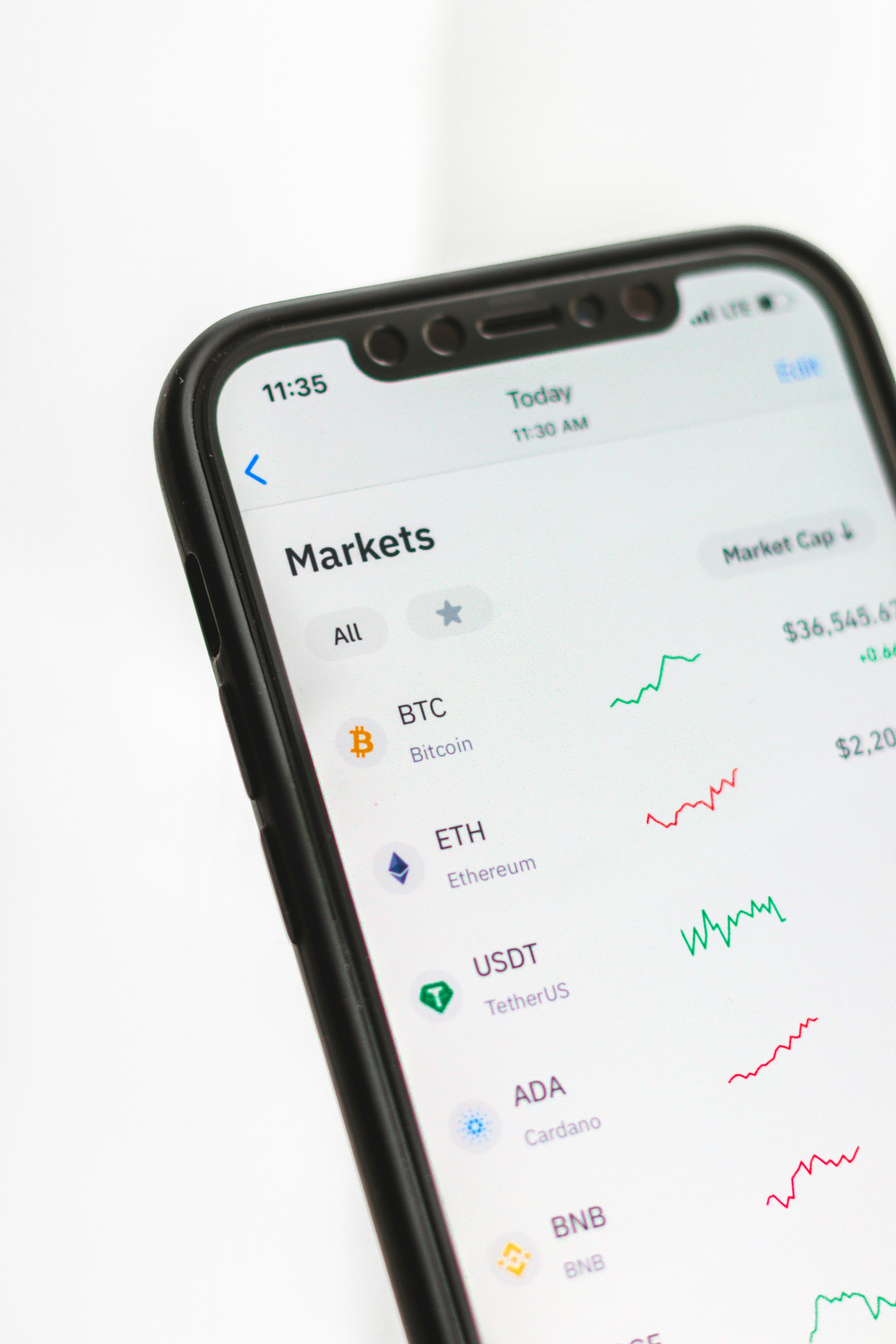
CoinTracker offers free iOS and Android apps, and for many users the phone is where the day-to-day checking happens. The app mirrors the core of the web experience: live balances, performance, price tracking, and alerts, all synced with the same connected accounts.
Having the portfolio on mobile changes how people use the product. Instead of a once-a-year tax chore, it becomes an ambient habit a quick glance to see how holdings are doing, with the comfort of knowing the underlying records are being kept clean in the background for when tax season eventually arrives.
Security and privacy: what to know before connecting
Connecting financial accounts to any third-party service deserves scrutiny, so it's worth being precise about how CoinTracker is designed to protect you. Three points matter most.
First, connections are read-only. The API keys you create are scoped so CoinTracker can view your history but cannot trade, transfer, or withdraw funds. For wallets, you provide only public addresses, which by their nature can be viewed by anyone but never used to spend.
Second, data is protected with encryption and enterprise-grade security practices, including standards like SOC 2. That is the same category of controls you would expect from serious financial software.
Third, the most important security habit is on your side: when you generate API keys, make sure they are read-only and never enable trading or withdrawal permissions. CoinTracker doesn't ask for those, and you shouldn't grant them to anyone.
When creating an exchange API key for CoinTracker, grant read-only access only. If an exchange offers granular permissions, leave trading and withdrawals switched off. A portfolio tracker never needs them.
What CoinTracker costs
CoinTracker uses a freemium model. You can create an account and track your portfolio for free; the paid plans are about unlocking tax forms and more advanced capabilities. Pricing is tiered primarily by how many transactions you have in a year, which is a sensible way to align cost with how active you are.
The lineup generally looks like this:
- Base the entry tax plan, covering tax forms, portfolio tracking, and TurboTax/HR Block integrations for lower transaction counts.
- Prime adds tax lots breakdown, tax loss harvesting, and performance tracking for more active users.
- Ultra layers on priority support and the ability to change cost basis method by year, for high-volume traders.
- Full Service a bespoke, done-for-you tier with a dedicated account manager and hands-on reconciliation help.
Because exact prices and limits change over time, the smartest approach is to check the current pricing page and estimate your transaction count first. The free portfolio tracking means you can connect everything and see your real transaction volume before committing to a tax tier.
Who CoinTracker is for
CoinTracker is broad enough to serve very different people, but a few profiles benefit most:
- The casual holder who bought on one or two exchanges and just wants clean records and a simple tax form without thinking about it.
- The active trader generating hundreds or thousands of transactions, for whom manual tracking is simply not viable and cost basis methods materially affect the bill.
- The DeFi and multi-chain user juggling wallets, swaps, staking, and bridging, who needs a tool that can make sense of on-chain complexity.
- The accountant or tax professional who wants reliable, exportable reports from clients rather than a shoebox of CSVs.
If your entire crypto life is a single buy-and-hold position on one exchange, you may not need much beyond that exchange's own statements. The more sources and the more activity you have, the more CoinTracker pays for itself in time saved and errors avoided.
CoinTracker vs the spreadsheet you keep meaning to update
Plenty of people start with good intentions and a spreadsheet. It works for a while until the day you swap tokens on a decentralized exchange, bridge them to another chain, earn a staking reward, and then forget to log half of it. The spreadsheet's weakness is that it depends entirely on your discipline and your ability to price assets at historical moments.
Where CoinTracker wins
- Automatic import and ongoing sync
- Reconciles transfers between your own accounts
- Historical pricing handled for you
- Ready-to-file forms and direct e-file partners
Things to keep in mind
- Tax tiers are a recurring cost
- Very obscure protocols may need manual review
- You still need to confirm flagged transactions
- Not a replacement for professional advice
The honest summary is that a spreadsheet can technically do the job for a very simple situation, but it scales terribly. CoinTracker's value grows precisely as your activity becomes the kind that breaks spreadsheets.
Where CoinTracker came from
CoinTracker began the way many of the best tools do: its founders were trying to solve their own problem. As early crypto users, they ran into the same wall everyone hits scattered holdings, no unified view, and a tax situation that no existing software handled gracefully. What started as a way to make sense of their own portfolios grew into a product as more people recognized the same pain.
Over the years the company invested heavily in two things that are easy to underestimate from the outside: the breadth of integrations and the accuracy of reconciliation. Both are unglamorous, endlessly fiddly engineering problems, because every exchange formats its data differently and every blockchain has its own quirks. The payoff for that grind is the experience users actually feel connect an account, and your history simply appears, correctly. The partnerships with TurboTax and HR Block followed as the product matured, cementing CoinTracker's place in the mainstream tax-filing pipeline rather than leaving it as a niche crypto tool.
A note for international users
Although much of the conversation around crypto taxes focuses on the United States, CoinTracker supports users in many countries and can localize its calculations and reports accordingly. Tax rules differ widely from one jurisdiction to another the treatment of staking income, the availability of long-term versus short-term rates, the specific forms required, and the accepted cost basis methods can all vary so the forms and figures you see are tailored to where you file.
The underlying engine, however, works the same everywhere: import every transaction, price each one accurately at the time it occurred, reconcile transfers, and apply the appropriate rules. If you live outside the United States, the practical advice is the same as for anyone else connect your accounts, confirm that your country is supported with the report types you need, and verify anything unusual with a local professional, since cross-border crypto situations can get complicated quickly.
Common questions, answered
Does CoinTracker file my taxes for me? Not by itself on the standard tiers it produces the forms and calculations, which you then file yourself, e-file through a partner like TurboTax, or hand to your accountant. The Full Service tier is the exception, offering a far more hands-on, done-for-you experience with a dedicated account manager.
Will connecting my exchange let CoinTracker touch my money? No. Connections use read-only API keys and public wallet addresses, neither of which can move, trade, or withdraw funds. This is the most common worry new users have, and it is worth repeating: a portfolio tracker only needs to read your history, never to act on your accounts.
What happens if a transaction imports incorrectly? CoinTracker flags transactions it isn't sure about and lets you edit, categorize, or manually add entries. For most people the automated import is the vast majority of the work, with a short review to clean up the edges. The more complete and accurate your review, the more trustworthy your final report.
Do I need it if I only bought and held? If you never sold, swapped, or earned anything, you may have had no taxable events at all though buying still creates a cost-basis record you'll want when you eventually sell. Even pure holders often appreciate the free portfolio tracking simply to see everything in one place.
Is the free version actually useful? Yes. Portfolio tracking is free, so you can connect everything, see your real holdings and transaction volume, and understand your situation before paying for a tax tier. It doubles as the best way to figure out which paid plan, if any, you actually need.
Getting started in practice
If you decide to try it, the path is straightforward. Create a free account, then connect your largest exchange first seeing your real data populate immediately is the moment it clicks. Add your remaining exchanges and wallets one by one, and resist the urge to skip the smaller ones; completeness is what makes the tax output trustworthy.
Next, spend time in the transaction review screen. Resolve anything CoinTracker has flagged, label income events correctly, and confirm that transfers between your own accounts are recognized as such. This review step is the single biggest factor in getting an accurate result. Finally, when tax season arrives, generate your forms and either e-file through a partner or pass the reports to your accountant.
Watch: an overview of what CoinTracker looks like once your accounts are connected.
The verdict
CoinTracker set out to solve two genuinely painful problems knowing what you own across a fragmented crypto landscape, and knowing what you owe when tax season arrives and it does both with unusual breadth and a workflow that respects your time. Its read-only connections, deep integration coverage, automatic reconciliation, and direct lines into TurboTax and HR Block add up to a product that turns a dreaded annual ordeal into something close to a non-event.
It is not magic, and it is not free at the tax tiers, and it will never absolve you of the need to review your own data or, for tricky situations, talk to a professional. But for the millions of people whose crypto activity has outgrown a spreadsheet, the question is less "is this worth it?" and more "why did I wait so long?" If that sounds like you, the free portfolio tracker is a low-risk place to start: connect your accounts, see your real picture, and decide from there.
See your whole crypto picture
Connect your wallets and exchanges for free and watch your portfolio come together in minutes.
Start for free